
If you’re looking for a job right now you may have noticed that the post-pandemic job market has changed – a lot. While it’s reported that unemployment rates are at an all-time low of 5.3% giving job seekers the upper hand, if you’re in the application process it may not feel that way. We’re seeing longer compound job titles, the classic “fill in your resume all over again into our system” as well as longer hiring times due to multiple rounds of interviews.
If you feel like applying for a new job is a job in itself, sis, you’re not alone. Channel your time to where it will have the most impact by following 10 of our best tips for optimizing your LinkedIn and staying organized during the application process.
LinkedIn Tips
- Make your headline POP.
Based on our readings, it’s best to lead with hard skills and follow up with your current job title or the type of employment you’re seeking.
- Keep it brief, dashes and commas are okay here.
- Think about what skills hiring managers will be looking for in your ideal position and if they match your experience make sure to add them.
- You don’t need to include everything – you’ll have more space for the rest of your experience below.
Tools: See some examples of LinkedIn headlines by JobScan here.
- Professional Summary
Remember that Linkedin is both a professional and social media platform. Keep your professional summary skills-focused but still personable.
- Include 1-2 sentences about how other users can engage with you. This is a great place to showcase confidence. Ex. Experienced Product Marketer aiming to tackle new & exciting go-to-market strategies vs. Experienced Product Marketer with a passion for new & exciting go-to-market strategies.
- Where to start when building new connections
If you’re new to LinkedIn you may think the more connections the better. However, if you plan to use the platform regularly you’re going to want to refine your feed just like any other social platform. Don’t accept just any invitation! At the end of the day, if your feed is full of posts and content that isn’t relevant to you, you’ll be less likely to want to spend time on it and get the benefits.
Step A. Try writing down a list of companies you would love to work for
Step B. Search them on LinkedIn and follow them so you can see when they post jobs.
Step C. While you’re here, check what kinds of qualifications people who work there have. When you see what kind of experience they started with it gives you an idea of a roadmap that could take you to that position.
Step D. Check your network to see who might be able to connect you with someone at that company, if there’s no one, no stress- see the next step below!
- Personalize your invitation request
So you’ve found a few contacts that you’d like to connect with. When you add them LinkedIn gives you the option to customize the default blurb that goes with it, taking the time to do this goes a long way.
- Share a sentence about who you are and why you’d like to connect (this might include the space you’re trying to grow into or a new field you’re entering)
- Be sure to use their name (always double-check the spelling).
- Stay Active

Simple things like making sure you have the LinkedIn App on your phone can help you stay active. Additionally, you can follow influencers and thought-leaders just like other platforms which can help keep LinkedIn interesting for you rather than only consuming professional content which can feel like work.
ProTip: Recruiters on LinkedIn can filter specifically for candidates who have engaged with their company page – this is an easy way to stand out from the crowd.
- Ask for Recommendations
This part can be a bit uncomfortable, but the best way to get a recommendation is to write one for someone else. Think about your best contacts and some of the criteria that you would like them to cover in a review for you. Ex: What did they do in their role? How did you work together? How did they contribute to a positive work environment? Etc.
Application Tips & Staying Organized
- Keep an offline copy of the job posting
Start an ongoing word doc where you can paste the descriptions from jobs you’re applying to. This tip came from a friend of ours who is a senior HR pro and it has helped so many times. Between the application process and snagging the interview, the manager may remove the role, which makes it harder to prep for the job, Keeping a copy offline means you can refer directly to the job requirements.
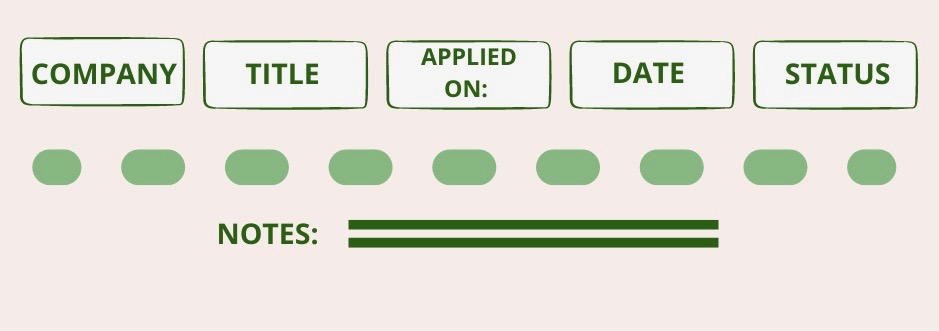
- Start a sheet for your job applications
It doesn’t have to be fancy, but keeping track of your job applications within a sheet helps remember which ones require follow-up, what the outcome was and which platform you applied on. Doing this helps you know where you are in your application process, can be a reminder of which job titles to search for, and if you got the interview – which cover letters are winners.
- Apply on company site & Job board if available
If the job is posted on the company site and a job board it’s good to apply to both but make sure to address it in your cover letter. With a huge pool of applicants, it’s easy to get missed. That being said, we don’t recommend applying to multiple job boards or if the job board leads back to the company site – this is just in the case of a separate company portal to make sure your application doesn’t get missed. - Don’t get discouraged!
Finding a new job or breaking into a new industry isn’t easy but don’t get discouraged. You will find the right job for you! If you feel like you’re hitting a wall with the application process reach out to the MORE Collective and we’ll connect you with other professionals for resume/cover letter feedback and more ;).
 #WeWantMore